If you’re reading this at 3:00 AM while a tiny human tries to use your collarbone as a teething ring, I know exactly where you are. You’re likely exhausted, over-caffeinated, and staring at a phone screen that’s logging the fourth feeding of the night. In those early months, it's easy to feel like you've been demoted from 'human' to 'data entry clerk' for a very demanding, very small boss.
But here’s the reality that standard parenting books often miss: the tracking isn't the point. The insight is.
Using a baby tracker app isn't just about recording data; it's about reclaiming your sanity. We don't log feedings just to see a list of times. We log them so we can stop wondering why the baby is crying at 6:00 PM every night. We don't track sleep just to see how little we’re getting. We do it to find the "Sweet Spot"—that magical window where your baby is tired enough to sleep but not so overtired they’ve entered a state of cortisol-fueled hysteria.
The Rise of the Data-Literate Parent
When you’re sleep-deprived, your brain doesn't work the way it used to. Chronic sleep deprivation directly impacts the prefrontal cortex—the part of the brain responsible for executive function and short-term memory. This is why you can’t remember if you changed a diaper ten minutes ago or two hours ago. It's not "mom brain"; it's a physiological response to exhaustion.
The External Brain: Reducing Decision Fatigue
Think of your newborn tracker as an external hard drive for your brain. By logging a feeding the second it happens, you’re freeing up cognitive energy. Instead of trying to hold onto the fact that "the baby last ate at 1:15 PM," you can use that brainpower for things that actually matter—like holding a conversation or just breathing.
This "mental offloading" is a legitimate psychological tool. It reduces the background hum of anxiety that comes with trying to manage a complex schedule on zero sleep. When you have a record, you don't have to guess. You know. And in the world of a newborn, knowing is half the battle for your own sanity.
The "Insight Gap": Why Tracking Alone Isn't Enough
Most tracking apps just give you a list. But a list isn't a strategy. To close the "Insight Gap," you need to look for the story behind the numbers. If your logs show that your baby is consistently fussy between 4:00 PM and 7:00 PM, the data is telling you that they are either "witching hour" prone or their afternoon nap is too short. Data gives you the power to stop reacting to the crying and start predicting it.
Feeding Patterns: Decoding the Language of Hunger
Feeding is usually the first thing parents track using a baby feeding tracker app free or premium version, and for good reason. In the early days, "input vs. output" is the primary way we know our babies are healthy. But as you move past the newborn stage, the feeding log becomes a story about development, not just nutrition.
The Cluster Feeding Panic vs. Biological Reality
One of the biggest anxieties for breastfeeding parents is the fear of low milk supply. Around the 3-week, 6-week, and 3-month marks, babies often go through growth spurts that lead to cluster feeding. This is when a baby wants to eat every 45 minutes for several hours.
If you aren't tracking, it feels like your baby is starving and your body isn't producing enough. But when you look at your logs, you’ll see a pattern: the cluster feeding usually happens in the late afternoon or evening. You’ll also see that despite the frantic evening, the baby is still getting 8–10 heavy wet diapers a day. That data is your shield against anxiety.
The Ounce Trap: Why Total Daily Volume Matters Most
If you're bottle-feeding, you have the benefit of knowing exactly how many ounces are going in. But don't get caught in the "oz trap." Babies, like adults, don't eat the exact same amount at every meal.
According to the American Academy of Pediatrics, most newborns will take about 2 to 3 ounces every 2 to 3 hours. If your log shows your baby took 2 ounces at 10:00 AM and 5 ounces at 1:00 PM, that’s not a problem—it’s just appetite variation. Focus on the 24-hour total.
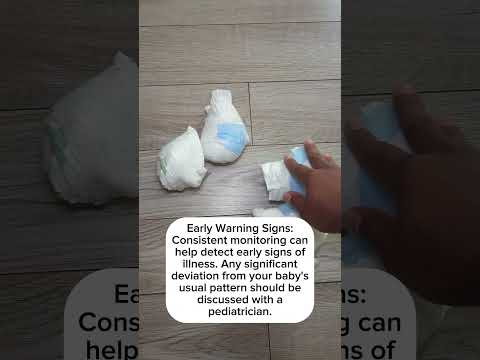 Understanding the relationship between feeding intake and diaper output is the first step in data-literate parenting.
The Sleep Architecture: Using Data to Buy Back Your Night
Sleep is the holy grail of parenting. It’s also the area where a baby sleep tracker is most powerful. We often talk about "sleep training," but the reality is that most sleep issues can be significantly improved just by understanding your baby's unique sleep architecture.
Adenosine and Cortisol: The Biological Math of Wake Windows
A "wake window" is the amount of time your baby can comfortably stay awake between naps. This isn't just a trend; it's based on "sleep pressure" (the buildup of adenosine in the brain). If they stay awake too long, their body triggers a stress response, producing cortisol and adrenaline.
 Visualizing sleep pressure helps parents understand why timing is everything when it comes to naps.
By tracking naps and wake times, you’ll start to see your baby’s specific limits. Common wake windows include:
- Newborns (0–2 months): 60–90 minutes
- 3–4 months: 75–120 minutes
- 5–7 months: 2–3 hours
Troubleshooting the "False Start" and Early Wakings
When you log sleep, look for the "False Start." This is when a baby goes to bed but wakes up 30 to 45 minutes later screaming. This is almost always a sign of being overtired. Use your baby tracking app to compare "Total Daytime Sleep" with "Nighttime Wakeups." You might find that on days where your baby naps for 3 hours total, they sleep through the night.
The Health Dashboard: What Diapers and Growth Charts Really Say
It sounds glamorous, doesn't it? Tracking poop and pee. But these logs are the most direct way to monitor your baby's hydration and digestive health.
Hydration Math: The 6-Diaper Rule
The Mayo Clinic notes that stool changes from black and tarry to yellow and seedy in the first week. Once established, you’re looking for consistency:
- Wet Diapers: You want to see at least 6 heavy wet diapers every 24 hours.
- Stool Frequency: The log helps you identify their normal.
Tracking During Illness: The Med Log Safety Net
When your baby has a fever, the world stops. Using a dedicated medicine log in your parenting app ensures you stay within safe limits when alternating medications. If the doctor asks, "When did the fever start?" you aren't stumbling over your words—you have precise, clinical data.
The "Power Appointment": Data-Backed Pediatrician Visits
Have you ever walked into a checkup and your brain goes blank? Bringing your best baby tracker app logs to the appointment changes the conversation.
Instead of saying, "I think he’s eating enough," you can say, "He’s averaging 28 ounces over 7 feedings a day, but he seems unsettled after the 7:00 PM bottle." This level of detail allows your pediatrician to address specific concerns and helps you track CDC milestones more accurately.
When to Put the Phone Down: Managing Data Anxiety
I’m going to say something controversial: you can track too much. There is a phenomenon known as "Tracking Anxiety," where the act of logging becomes a source of stress.
Tiered Tracking: Scaling Back as Baby Grows
You don't need to track everything forever. As your baby develops, follow safe sleep guidelines and scale back:
- 0–3 Months: Track everything to establish supply and baseline.
- 4–6 Months: Focus primarily on sleep and feeding.
- 9+ Months: Focus on solids and major sleep transitions.
Frequently Asked Questions
What is the best baby tracker app for newborns?
The best app is one that is intuitive, allows for multiple caregivers to sync data, and provides visual charts to help you spot patterns. Look for apps that include feeding, sleep, and diaper logs in one interface.
When should I stop tracking every diaper?
Most parents find they can stop tracking every wet diaper around 4-6 months once the baby's growth is stable and feeding routines are well-established. However, always resume tracking if your baby shows signs of illness or dehydration.
How do I use a baby sleep tracker to stop early wakings?
Review your logs to see if the "Total Daytime Sleep" is too high or too low. Often, an early morning wake-up is caused by a bedtime that is either too late (overtiredness) or a nap schedule that needs to be adjusted.
Synthesis: Building Your Personalized Routine
Parenting is an art, but it’s supported by science. By using a baby tracker, you’re not just counting diapers—you’re learning the language of your child. You’re gaining the confidence to trust your intuition because your intuition is now backed by evidence. Whether you're using a baby care app to track growth or a baby routine app to find the perfect bedtime, the goal is the same: a happier baby and a saner you.